For years, automation in network support has focused on the ticket.
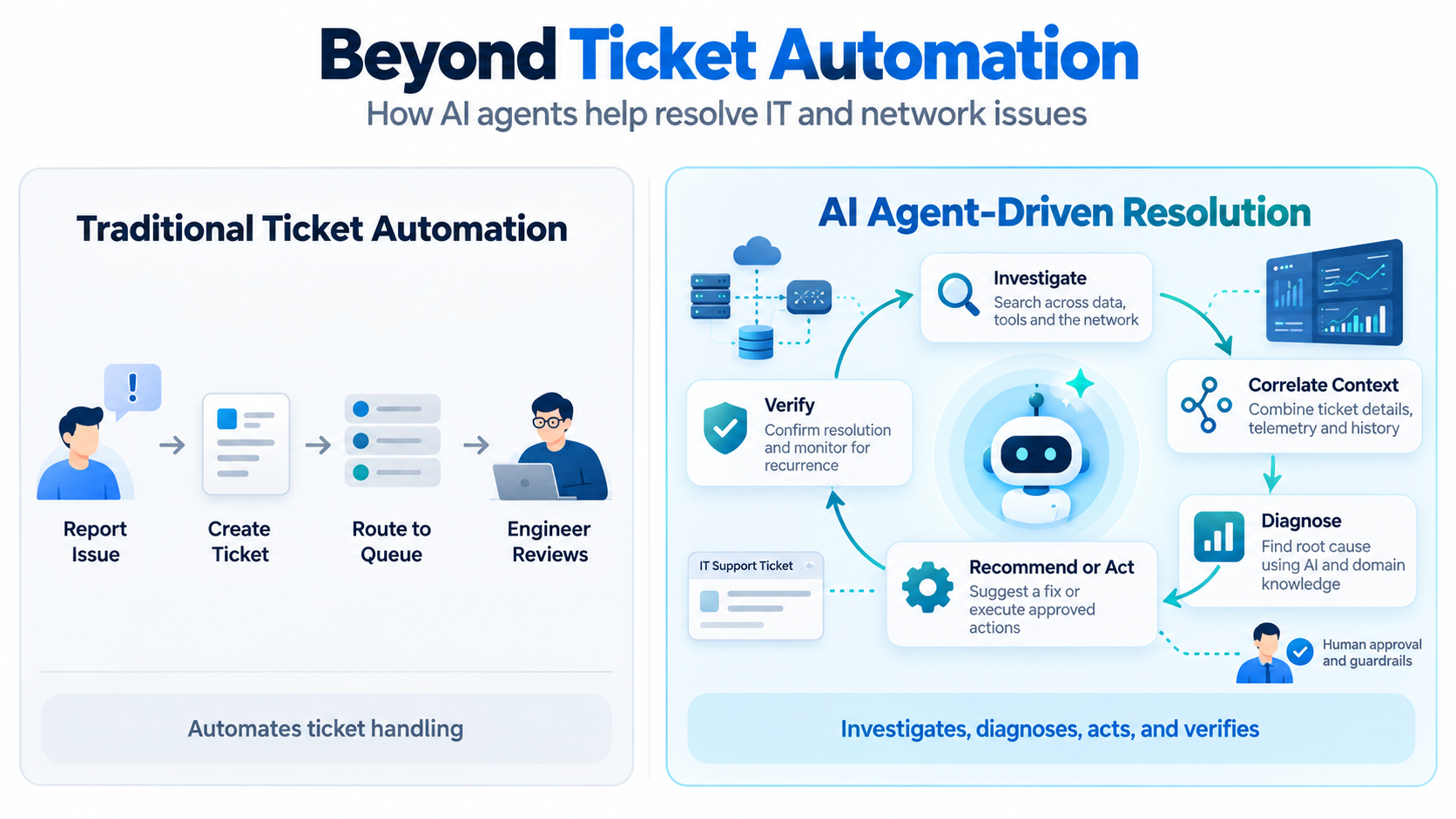
A subscriber reports a problem. A ticket is created. The issue is categorized, prioritized, routed to the right team, and eventually assigned to an engineer.
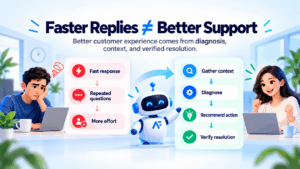
These workflows are useful, but they automate the management of the problem, not necessarily the resolution of the problem.
AI agents create an opportunity to move beyond this model.
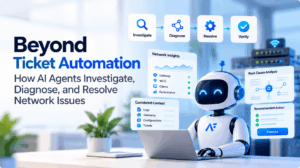
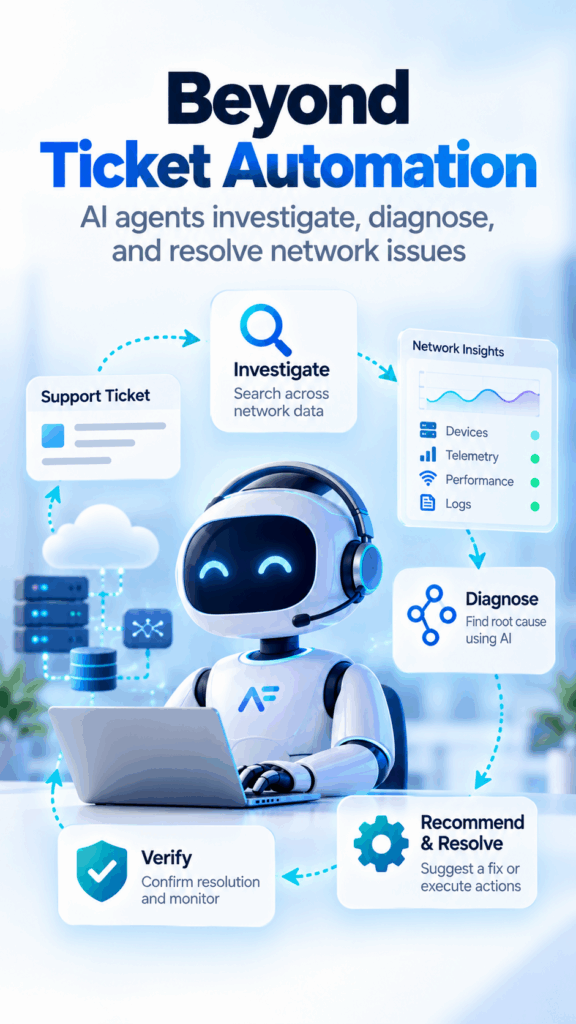
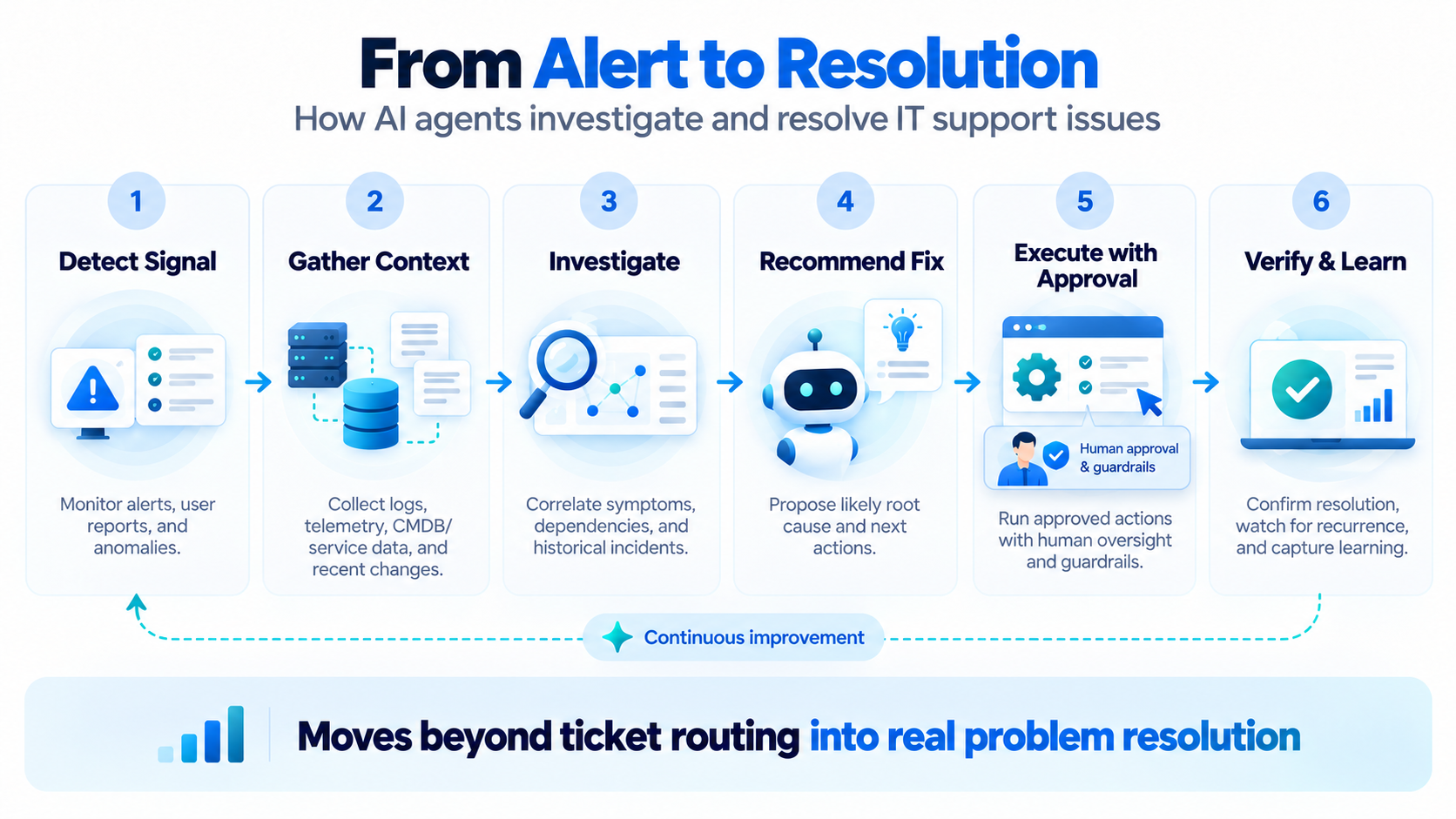
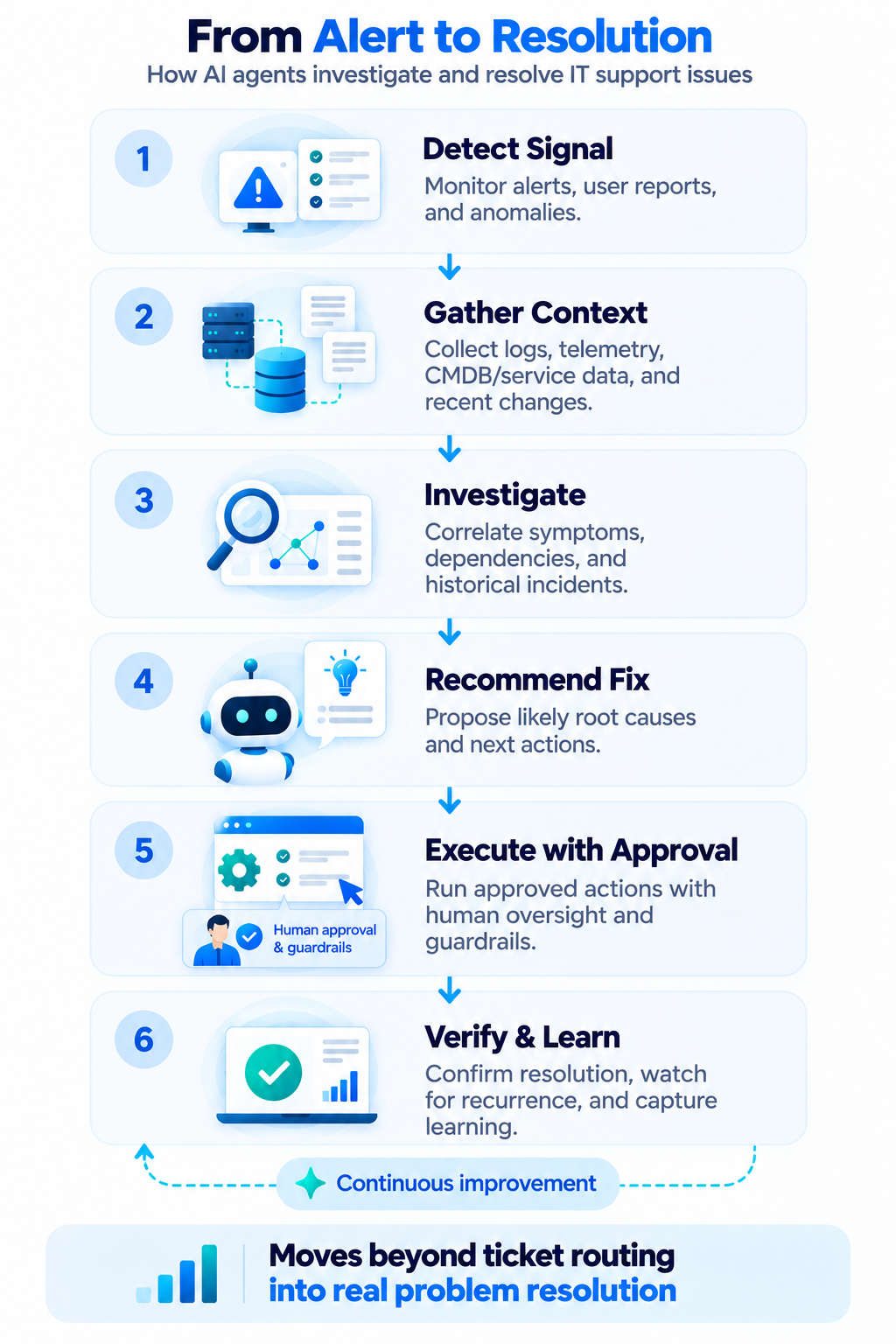
Instead of simply routing a ticket, an AI agent can gather operational context, investigate symptoms, correlate data across systems, identify a probable cause, recommend or execute an approved remediation, and verify whether the issue has actually been resolved.
The difference is significant: traditional automation helps move tickets through a workflow. AI agents can help work the issue itself.
The Limitation of Traditional Ticket Automation
Most support automation begins after a user reports a problem. A typical workflow may:
- identify the type of request
- assign a priority
- route the ticket
- select the appropriate support queue
- send an acknowledgment
- notify an engineer
- update ticket status
These steps reduce manual administrative work, but the technical investigation often still starts when an engineer opens the ticket.
The engineer then has to gather information from multiple systems. For a network issue, that might include:
- customer or subscriber information
- gateway or CPE status
- Wi-Fi radio information
- connected devices and topology
- signal quality
- DHCP or connectivity information
- recent configuration changes
- alarms and telemetry
- previous incidents
- service status
The problem is rarely a lack of data. The challenge is gathering the right data, understanding the context, correlating the signals, and deciding what to do next. This is where AI agents can change the support workflow.
From Ticket Handling to Investigation
An AI agent can begin investigating as soon as an issue is reported. Instead of waiting for an engineer to manually collect information, the agent can interact with operational systems and build a picture of what is happening.
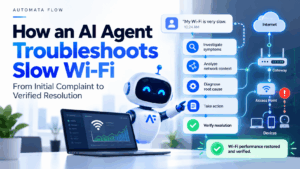
Consider a simple example. A subscriber reports:
“My Wi-Fi keeps disconnecting.”
A traditional support workflow may create a Wi-Fi support ticket and send it to the appropriate queue. An AI agent can go further. It may begin by checking:
- Is the subscriber’s gateway online?
- Are the Wi-Fi radios operational?
- Have there been recent reboots?
- What are the signal levels of the affected client?
- Is the client repeatedly roaming or reconnecting?
- Are multiple clients affected or only one?
- Is the WAN connection stable?
- Have there been recent configuration changes?
- Are there known service issues in the area?
- Has the subscriber reported a similar issue before?
The agent is no longer simply processing the request. It is investigating the problem.
Correlating Context Across Systems
Network problems rarely exist inside a single system. Relevant information may be spread across:
- network controllers
- monitoring platforms
- OSS/BSS systems
- ticketing platforms
- device-management systems
- telemetry databases
- knowledge bases
- customer systems
- configuration services
An engineer may need to move between several applications before reaching a conclusion. AI agents can act as an operational layer across these systems. They can gather information through APIs, tools, and controlled integrations, then correlate the results.
For example, a Wi-Fi connectivity problem may initially look like poor wireless performance. But additional context might show that Wi-Fi signal levels are healthy, the gateway has rebooted three times in the last hour, WAN connectivity has repeatedly dropped, and other subscribers in the same region are reporting similar symptoms.
The problem may not be Wi-Fi at all. It may be an upstream connectivity issue. The value of the agent is not simply retrieving more information. The value comes from connecting the information to the operational context of the incident.
Moving From Symptoms to Probable Cause
Once relevant context has been collected, the next step is diagnosis. An AI agent can evaluate observations, compare them with known patterns, apply operational rules, consult knowledge sources, and determine likely causes.
Depending on the problem, the result might be:
- poor Wi-Fi signal quality
- channel interference
- client-specific connectivity problems
- gateway instability
- incorrect configuration
- DHCP failure
- WAN connectivity degradation
- firmware-related issues
- service outages
- a problem requiring further human investigation
The agent does not need to treat every issue as fully autonomous. Its job can be to narrow the investigation and increase confidence before action is taken.
Observed symptoms
One client repeatedly disconnects while other clients remain stable.
Likely conclusion
The issue is probably client-specific rather than a gateway-wide Wi-Fi failure.
Observed symptoms
Multiple clients lose connectivity while the gateway remains online, with repeated WAN interface resets.
Likely conclusion
The issue is more likely related to upstream connectivity than the local wireless network.
The result is a support workflow that begins with evidence rather than guesswork.
Resolution, Not Just Recommendation
Investigation becomes much more valuable when it can lead to action. Depending on operational policy, an AI agent could recommend or perform actions such as:
- restarting a service
- refreshing a connection
- applying a known configuration fix
- changing an approved Wi-Fi parameter
- triggering a diagnostic workflow
- collecting additional logs
- opening an upstream incident
- escalating to an engineer
- scheduling a device replacement
The important distinction is that the agent should not simply perform actions because it technically can. Actions should be governed by operational policy. Low-risk and reversible actions may be automated. Higher-risk actions may require human approval.
Verification Is Part of Resolution
One of the most important differences between simple automation and agent-driven operations is verification. Executing an action does not mean the problem has been solved.
After remediation, the agent should check the system again. For example:
- Detect repeated connectivity failures.
- Identify a likely configuration-related cause.
- Apply an approved remediation.
- Wait for the device to stabilize.
- Re-check connectivity and telemetry.
- Confirm whether the symptoms have disappeared.
- Update or close the incident only after verification.
Investigate → Diagnose → Act → Verify
If the issue remains, the workflow can continue or escalate. This creates a closed operational loop rather than a ticket-to-assignment handoff.
When the Agent Should Escalate
Not every problem should be resolved automatically. A well-designed agent must also understand when to stop. Escalation may be appropriate when:
- confidence in the diagnosis is low
- multiple possible root causes remain
- the required action carries significant risk
- the issue affects many subscribers
- a policy requires human authorization
- the agent cannot access the necessary operational context
- previous remediation attempts have failed
Even when escalation is required, the agent can improve the engineer’s experience by handing off the investigation context, evidence collected, actions already attempted, and recommended next steps.
Human Control Remains Essential
Giving AI agents access to operational systems changes the risk profile of automation. That is why effective agentic operations require more than an AI model. They also require controls around what the agent is allowed to see and do.
- role-based access
- policy-driven actions
- approval workflows
- scoped credentials
- audit trails
- data protection
- action limits
- verification
- human escalation
The objective should not be maximum autonomy. The objective should be the right level of autonomy for each operational task.
An organization may initially allow agents to investigate and recommend actions. Later, selected low-risk remediation workflows can be automated. As confidence grows, additional actions can be introduced under clearly defined policies.
What This Changes for Network Support Teams
Moving beyond ticket automation changes where support teams spend their time. Instead of repeatedly performing the same initial investigation, engineers can focus on:
- complex incidents
- unusual failure patterns
- network optimization
- architecture
- root-cause analysis
- long-term reliability improvements
Support teams can also respond faster because investigation can begin immediately rather than waiting for a ticket to reach an available engineer. The result is not simply fewer manual ticket-handling steps. It is a different operating model in which AI agents can become part of the operational workflow itself.
From Managing Tickets to Solving Problems
Ticket automation was an important step in improving support operations. But routing, categorization, and status updates only address part of the problem.
The larger opportunity is to automate the work that happens after a ticket arrives. AI agents can gather operational context, investigate symptoms, correlate signals, diagnose likely causes, recommend or execute controlled remediation, and verify the outcome.
That moves network support from automating the ticket to automating parts of the investigation and resolution process.
And that is where AI agents can begin to deliver meaningful operational value.
Automata Flow is building AI agents for network operations that can investigate incidents, reason across operational context, and participate in controlled support and engineering workflows – while keeping humans, policies, and auditability in the loop.